Projects

What we've built, step by step.

Automation projects built and tested in-house around real sales, operations and finance problems. Each one shows the problem, how it works, and where a person decides.

Published on n8nRecover lost GoHighLevel deals with OpenAI, Gmail and Google Sheets
Sales

Sales projects.

Four projects, one for each place sales work usually slips: before the call, after the call, in the pipeline, and after a loss.

SalesStale deal follow-up

Sales Deal Recovery Engine

Deals sit in the pipeline marked open while nobody is working them. Every morning this checks each one and decides what it needs.

Where a person decides

If the customer asked you to wait, or the email thread is unclear, nothing is sent. The deal owner decides in Slack.

Known limits

Works from the GoHighLevel deal and its Gmail thread. A deal never gets two automatic follow-ups in a row.

Example run Monday, 8:00 AM27open deals in the CRM
What it checks
  • Deal stage
  • Days since last activity
  • Latest email in the thread
What happens
  • 3deals followed up
  • 2sent to the owner
  • 22left alone
See every step
01Every morningOpen deals pulled from the CRM
02CheckLast activity and the email thread
03DecideActive, waiting on the customer, or gone quiet
04Act
  • Follow-up sent
  • Owner decides
  • Left alone
05LogEvery action recorded, daily brief in Slack
SalesLost deal analysis

Lead Autopsy

A deal marked lost tells you nothing about why. This reads the CRM history of every lost deal and shows where the process broke.

Where a person decides

Every cause is labeled by how sure it is. Anything marked likely is checked by a person before it turns into a conversation with the team.

Known limits

Only as good as the CRM history. When the record is too thin, the deal is labeled Not enough data instead of guessed.

Example run Tuesday, 8:00 AM3deals marked lost the day before
What it checks
  • Who owned the deal
  • How fast the first reply came
  • Notes and unfinished tasks
What happens
  • Brightline SolarFirst call came 53 hours after the formConfirmed
  • Summit RoofingProposal sent, one follow-up, then silenceLikely
  • Cedar & CoNever assigned to an ownerLikely
See every step
01Deal marked lostPicked up the next morning
02CollectTimestamps, owner, notes, open tasks
03Find the breakSlow reply, no owner, no follow-up
04Label
  • Confirmed
  • Likely
  • Not enough data
05ReportOne PDF to the team by 8am
SalesPre-call lead brief

Sales Intelligence Brief

Closers read the raw form answers a minute before dialing. This puts a one-page brief on the deal as soon as the call is booked.

Where a person decides

The brief never quotes a price. Form data is often wrong, so it lists what the closer should confirm on the call.

Example runThu 2:30 PMsales call booked through the form
What it checks
  • Budget and timeline
  • Who makes the decision
  • Fit with your best customers
What happens
  • Fit82 out of 100
  • Red flagNo budget owner named
  • Ask on the call"Who signs off on this?"
See every step
01Call bookedBooking form submitted
02ReadEvery answer on the form
03ScoreSame framework, every lead
04BriefFit, red flags, questions to ask
05CRMDeal moves to Ready for call
SalesPost-call next steps

Post-Call Sales Automation

After a call, the next step lives in someone's head. This turns the call notes into facts and picks the next step.

Where a person decides

If the notes are unclear or contradict each other, it stops. A person reviews before anything is sent.

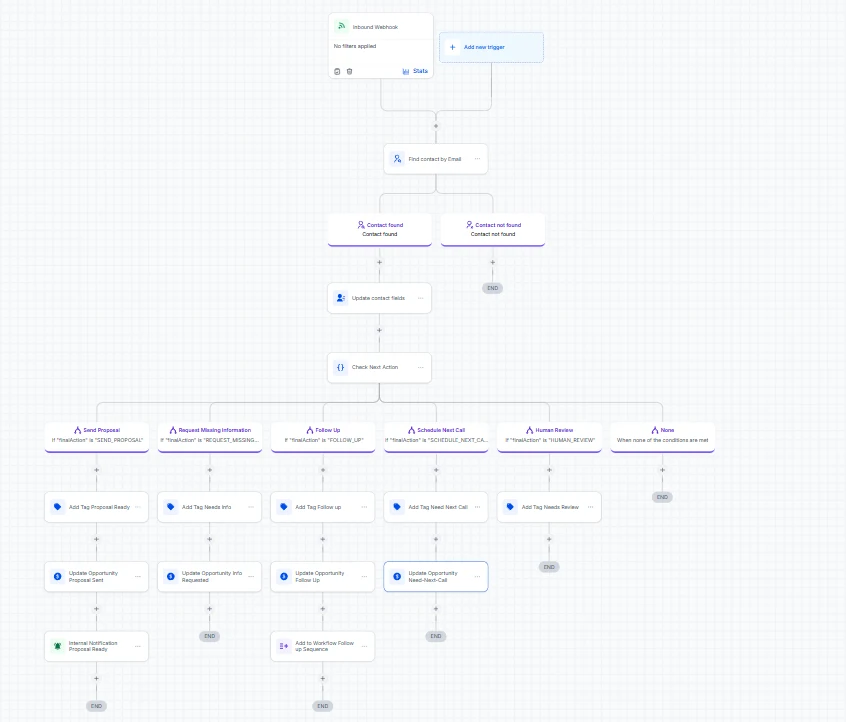
GoHighLevelZapier
See the build on GitHub
Example run Right after the call45 minof call notes, straight from Granola
What it checks
  • What the client said
  • What was only assumed
  • What the proposal still needs
What happens
  • Next stepAsk for the property size
  • WhyBudget stated, size missing. The proposal can't be priced yet.
See every step
01Call endsNotes from Granola
02ExtractWhat the client said vs. what was assumed
03CheckIs anything missing for a proposal?
04Next step
  • Send proposal
  • Ask for missing info
  • Book next call
05Unclear?A person reviews first
From the builds

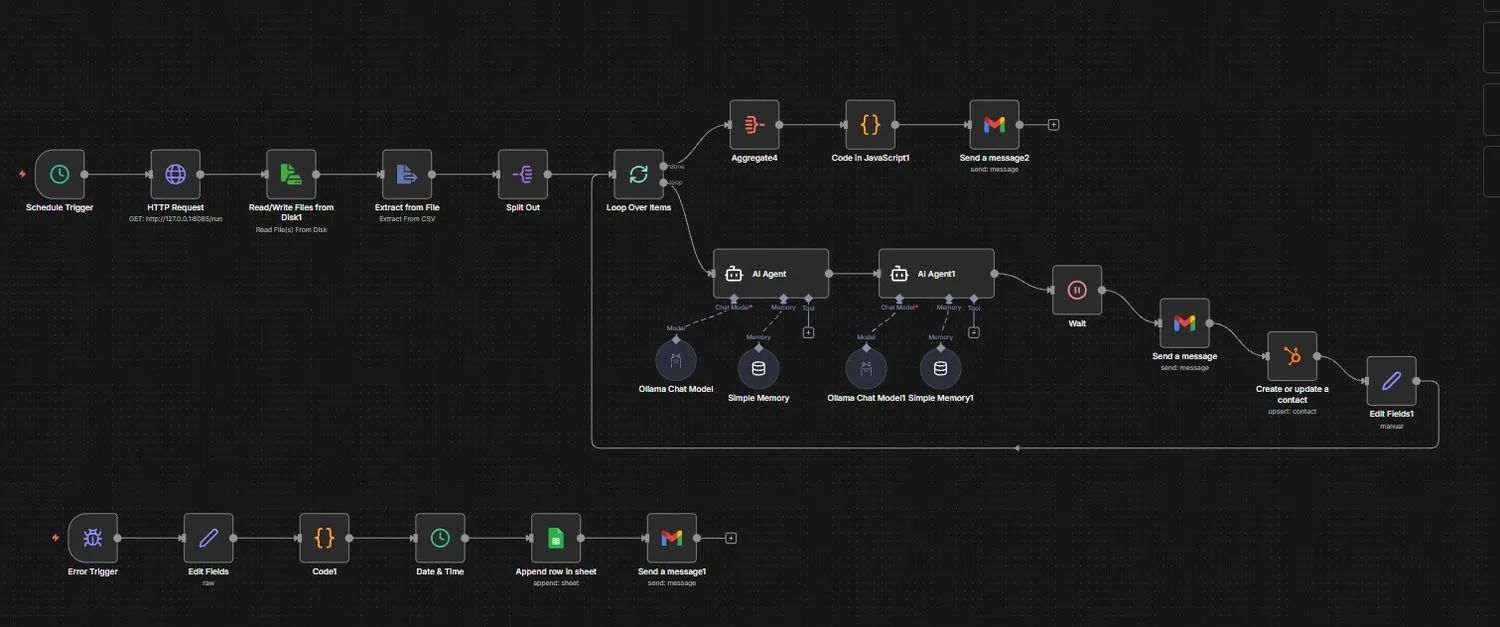
Real workflows in GoHighLevel and n8n. Operations projects are next.

Keep scrolling
Operations

Operations projects.

Data that moves on its own, and checks nobody has to remember.

OperationsDatabase to HubSpot sync

HubSpot CRM Sync

Leads lived in a database and sales lived in HubSpot. The bridge was a person with a CSV. Now every lead moves on its own.

Where a person decides

No judgment calls here, so nothing goes to a person. The same matching logic runs every time.

HubSpotPostgreSQL
See the build on GitHub
Example run One sync run148new leads in the database
What it checks
  • Email already in HubSpot?
  • Company record exists?
  • API call succeeded?
What happens
  • 131contacts updated
  • 17contacts created
  • 0duplicates
See every step
01New leadAdded to the database
02SearchHubSpot, by email
03Match
  • Update contact
  • Create contact
04LinkContact tied to its company
05RetryIf the API fails, try again
OperationsEmail deliverability monitoring

Deliverability Monitoring

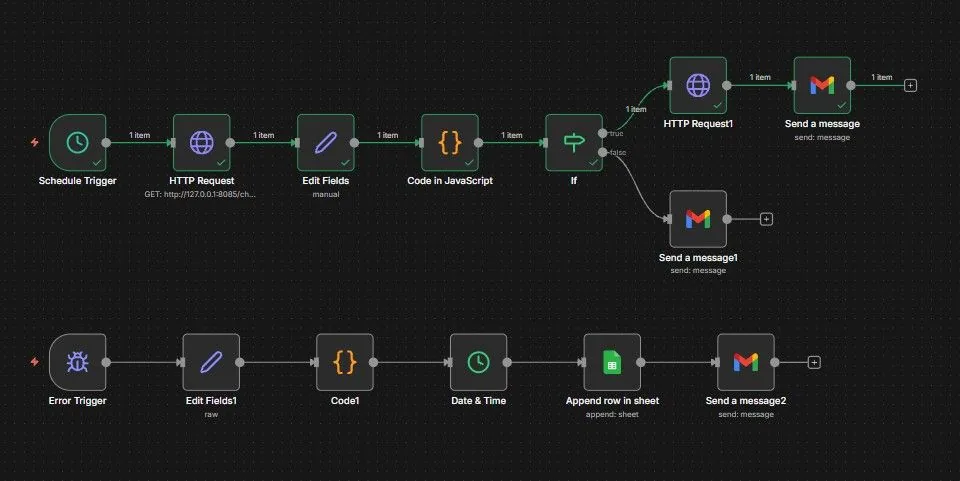
One edited DNS record can quietly stop your emails from landing. This checks the records every day and flags any change.

Where a person decides

It never changes DNS on its own. A person decides whether the change was intended.

Google Postmaster
Example run Every morning6email DNS records
What it checks
  • SPF, DKIM and DMARC
  • MX and CNAME records
  • Sender reputation
What happens
  • 5records unchanged
  • 1record changed, sent to a person
See every step
01Every dayScheduled check
02ReadSPF, DKIM, DMARC, MX, CNAME
03CompareAgainst yesterday
04FlagAnything that changed
05ConfirmA person checks it
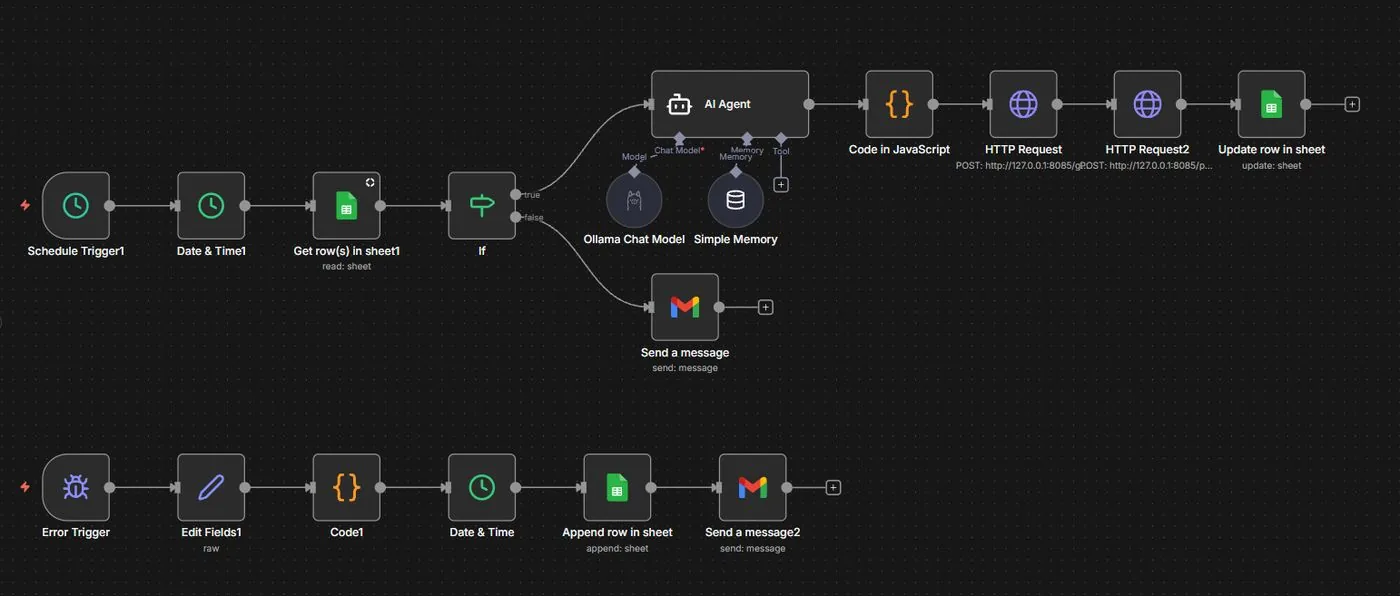
From the builds

More of the real workflows. Finance projects are next.

Keep scrolling
Finance and admin

Finance projects.

Payment problems that get handled instead of sitting in an inbox.

Finance & AdminFailed payment recovery

Stripe Payment Recovery

A failed payment usually becomes an email nobody reads. This reads why the card failed and sends each case down the right path.

Where a person decides

Stolen, lost or blocked cards and unknown reasons go straight to your team. They are never retried.

Example run Overnight3failed payments
What it checks
  • Stripe's decline reason
  • Card status
  • Attempts so far
What happens
  • Low balanceRetried on day 1, 3 and 7
  • Expired cardCustomer asked for a new card
  • Stolen cardNever retried. Sent to your team
See every step
01Payment failsStripe reports it
02Read the reasonLow balance, expired, or stolen
03Pick a path
  • Retry later
  • Ask for a new card
  • Send to your team
04RecheckUntil Stripe says paid
05CRMStatus on the customer

Recognize one of these in your business?

We build the same kind of system around your process and your tools. Start with a 30-minute call.